Your customers are already on WhatsApp. Nine in ten Ugandans with a smartphone use it every day: for family, friends, work, and increasingly, for buying things. The question isn’t whether WhatsApp is right for your business. It’s whether you’re using it as a personal chat app or as a proper business tool.
WhatsApp Business is a free app built specifically for small and medium enterprises. It gives you a verified business profile, a product catalogue, automated messages, and broadcast tools that turn your phone into a 24/7 sales and customer service channel. With 10 million WhatsApp subscribers in Uganda and messages achieving a 98% open rate (Uganda Communications Commission, Q3 2025; Infobip, 2025), no other tool reaches your customers this reliably.
Only 35% of Uganda’s 1.1 million SMEs currently use any digital tools at all (MTIC Uganda / Mastercard Foundation, 2024). That gap is your advantage, and it won’t stay open indefinitely.
Key Takeaways
- 10 million Ugandans use WhatsApp, the country’s most-used digital platform, ahead of TikTok (9.3M), Facebook (3.2M), and Instagram (1M) (UCC, Q3 2025)
- WhatsApp messages achieve a 98% open rate and 45–60% click-through rates, compared to 20% open rates and 2–5% CTR for email (Infobip, 2025)
- WhatsApp Business is completely free to download and use. Setup takes under 30 minutes on any smartphone.
Why Is WhatsApp Business the Right Tool for Uganda SMEs?
With 10 million subscribers, WhatsApp is Uganda’s single most-used digital platform, larger than TikTok (9.3 million), Facebook (3.2 million), or Instagram (1 million) (Uganda Communications Commission, Q3 2025). More importantly, WhatsApp isn’t just installed; it’s active. Ugandans open WhatsApp multiple times a day. A message you send reaches your customer in a way that a Facebook post or an email simply doesn’t.
Uganda now has 17 million active mobile internet subscriptions (up 3% quarter-on-quarter in Q3 2025), with 40.9 million mobile connections across a population of 51.7 million (Uganda Communications Commission, Q3 2025; DataReportal, 2026). Mobile is how most Ugandans connect to the internet. For many, it’s their only option. WhatsApp was built for exactly this environment: low data consumption, works on entry-level Android handsets, and available on every network.
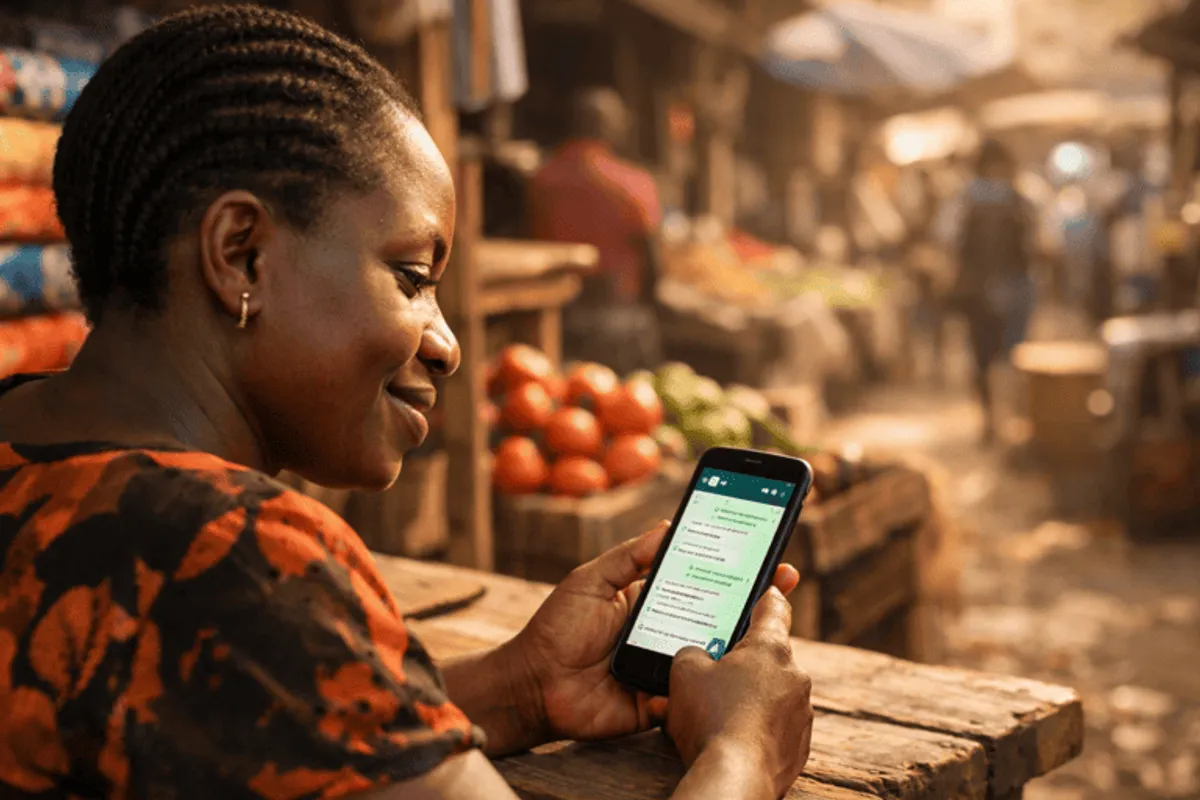
Globally, WhatsApp Business exceeded 764 million monthly active users in Q4 2024, with over 50 million businesses worldwide now using it to connect with customers (Infobip, 2025). Uganda SMEs are part of this shift. Those not yet on it are leaving money on the table.
What we see in practice: Across retail, food service, and professional services, Uganda SMEs that switch to WhatsApp Business (without changing anything else about their marketing) reduce missed enquiries by 30–50% within their first month. The auto-reply feature alone captures leads that previously fell through after hours.
Still, 65% of Uganda’s 1.1 million SMEs have no digital tools at all (MTIC Uganda / Mastercard Foundation, 2024). That’s not a technology gap; it’s an awareness gap. This guide closes it.
For the full picture on Uganda’s digital landscape, read our complete guide to digital marketing in Uganda.
What Is the Difference Between WhatsApp and WhatsApp Business?
Over 50 million businesses worldwide use WhatsApp Business instead of the personal app (Infobip, 2025). For Uganda SMEs, switching unlocks 8 features that turn a personal chat into a proper customer channel, all for free. Most Uganda SME owners already use personal WhatsApp for business: sending price lists, answering queries, sharing product photos. It works up to a point. Here’s what changes when you switch:
| Feature | Personal WhatsApp | WhatsApp Business |
|---|---|---|
| Verified business profile (name, category, hours, address) | ✗ | ✓ |
| Product and service catalogue | ✗ | ✓ |
| Greeting message (auto-welcome new contacts) | ✗ | ✓ |
| Away message (auto-reply outside business hours) | ✗ | ✓ |
| Quick replies (keyboard shortcuts for common answers) | ✗ | ✓ |
| Broadcast lists (message up to 256 contacts at once) | Limited | Full |
| Chat labels (organise customers by status or interest) | ✗ | ✓ |
| Separate business and personal number | ✗ | ✓ |
| Cost | Free | Free |
The core difference: WhatsApp Business makes your business look and operate professionally, automates the repetitive tasks currently eating your time, and gives customers a consistent experience whether you’re available or not.
You can keep your personal number for family and friends, and run WhatsApp Business on a separate SIM, or convert your existing number (the most common approach for Uganda SMEs who want to preserve their existing contacts).
How to Set Up WhatsApp Business in Uganda: Step by Step
WhatsApp Business surpassed 764 million monthly active users globally in Q4 2024 (Infobip, 2025), yet most Uganda SMEs haven’t made the switch. Here’s the full setup process. It takes under 30 minutes on any Android or iPhone, requires no technical background, and costs nothing.

Step 1: Download the App
Search “WhatsApp Business” on the Google Play Store or Apple App Store. It’s a separate app from regular WhatsApp. The icon has a briefcase on the WhatsApp logo. The download is free.
Step 2: Register Your Number
You have two options:
- Use a new SIM card (recommended if you want to separate personal and business communications). An MTN or Airtel SIM costs UGX 500 from any airtime vendor.
- Convert your existing number: WhatsApp migrates your chat history and contacts. Your contacts will now see your business profile instead of your personal one.
Enter your number when prompted. WhatsApp sends a 6-digit verification code by SMS or automated voice call.
Step 3: Build Your Business Profile
This is the first thing potential customers see when they search for you or open your chat. Fill in every field completely:
- Business name: your official trading name, not a nickname or abbreviation
- Category: choose the closest match (Retail, Food & Grocery, Education, Beauty / Spa, Health & Wellness, Professional Services, etc.)
- Description: two to three sentences explaining what you sell and who you serve. Include your Kampala neighbourhood or operating area.
- Address: your physical location, or your service area if you don’t have a fixed premises
- Opening hours: include Saturday and Sunday if you operate on weekends
- Website / email: optional, but add them if you have them
A complete profile signals legitimacy to customers who haven’t done business with you before. It also makes your account appear in WhatsApp’s internal search.
Step 4: Set Up Your Three Automated Messages
This single step eliminates dozens of missed enquiries per month:
Greeting message (sent automatically to any new contact who messages you for the first time):
“Hello! Thank you for reaching out to [Business Name]. What can we do for you today?”
Away message (sent automatically when a message arrives outside your business hours):
“Thanks for your message! We’re currently closed but we’ll respond first thing when we open. Our hours are Mon–Sat, 8am–6pm. We look forward to helping you.”
Quick replies are keyboard shortcuts for your most common responses. Press / and type your shortcut to expand it instantly:
/price→ your full price list/location→ your address and a Google Maps link/momo→ your MTN MoMo and Airtel Money numbers/hours→ your opening hours and public holiday schedule
These alone eliminate the repetitive copy-pasting that eats 30–60 minutes of most SME owners’ days.
Step 5: Build Your Product Catalogue
The catalogue is your digital shopfront inside WhatsApp. Customers can browse your products or services, see prices in UGX, and send enquiries directly. No website needed.
To add a catalogue item: tap Menu → Business Tools → Catalogue → Add new item. For each item, add:
- 1–10 photos (real product photos, not stock images)
- A clear name and description
- The price in UGX (or tick “Price varies”)
- A product code if relevant
Update your catalogue whenever your products, services, or prices change. Customers who browse catalogues before messaging are more likely to convert than those receiving a text price list mid-conversation.
What we see in audits: The most common gap in Uganda SME WhatsApp Business accounts is an empty or outdated catalogue. Business owners paste their price list into every chat, repeating the same message hundreds of times a year. A catalogue sends it once, displays it clearly, and lets the customer browse at their own pace. It takes 20 minutes to build and saves hours every month.
How to Use WhatsApp Broadcast Lists to Reach 256 Customers at Once
WhatsApp messages achieve a 98% open rate and click-through rates of 45–60%, compared to 20% open rates and 2–5% CTR for email (Infobip, 2025). Broadcast lists let you send to up to 256 contacts simultaneously; each recipient receives the message as a private conversation, not as a group chat. It’s personal, not spammy.
The key rule for broadcasts: you can only send to contacts who have saved your number in their phone. This is a feature, not a limitation: your broadcast list is an opt-in audience of people who already know and trust your business.
Build your list gradually. After every purchase or enquiry, ask: “Can I save your number to send you offers and updates on WhatsApp?” Most customers say yes. A list of 200 engaged customers is worth far more for your business than a Facebook page with 5,000 passive followers.
What to broadcast:
- New product arrivals or service additions
- Weekly or monthly promotions with a clear UGX price
- Stock alerts: “Limited stock: only 15 remaining”
- Seasonal offers (Christmas, Eid, back-to-school season)
- Appointment reminders (for service businesses)
- Payment confirmation requests after mobile money transfers
One broadcast per week is the right frequency. More than that and customers start muting your messages, which defeats the purpose entirely.
For paid campaigns that complement your WhatsApp broadcasts, read our social media advertising guide for Uganda.
How to Run Click-to-WhatsApp Ads to Reach New Customers
Facebook ad costs in Uganda average 55% below US benchmarks, making Click-to-WhatsApp one of the most affordable new-customer acquisition tools available to any Uganda business (WordStream, 2025). Broadcast lists reach people who already know you. Click-to-WhatsApp ads reach people who don’t, sending them straight into a conversation with your business.
Here’s how they work: a potential customer scrolls Facebook or Instagram, sees your ad, taps the “Chat on WhatsApp” button, and lands directly in your WhatsApp inbox. No website. No form. No checkout page. Just a conversation you can convert into a sale.

To set up a Click-to-WhatsApp campaign you need:
- A Facebook Business Page (free to create)
- A WhatsApp Business account linked to that page
- A daily budget (Uganda campaigns are effective from UGX 50,000–100,000 per day)
African advertising costs average 55% below US benchmarks (Industry data, 2025). A Uganda SME running a UGX 100,000-per-day Click-to-WhatsApp campaign on Facebook is reaching an audience at a fraction of what a comparable campaign costs in Europe or North America. It’s one of the most cost-efficient new-customer acquisition channels in the market.
For a complete breakdown of what every advertising channel costs in Uganda (Facebook, TikTok, Google, radio, billboard, and print), see our advertising costs in Uganda: every channel compared.
What Does WhatsApp Business Cost in Uganda?
WhatsApp Business is completely free, and 764 million monthly active users globally have adopted it on that basis (Infobip, 2025). Zero setup cost, no monthly subscription, no per-message fee, and no limit on the customers you can serve through it. Uganda’s 11.4 million internet users access the app through standard mobile data. WhatsApp uses approximately 2MB per hour of messaging, making it accessible even on a low data bundle.
Some Uganda businesses eventually graduate to the WhatsApp Business API, the enterprise version that allows bulk messaging beyond 256 contacts, CRM integration, and chatbot automation. This requires a third-party provider (such as Twilio, Infobip, or Kenya-based platforms) and costs $50–200 per month depending on message volume. For the majority of Uganda SMEs, the free app is sufficient until you’re regularly communicating with more than 1,000 active customers. For a breakdown of agency management fees and campaign costs on top of any ad spend, see our guide to marketing costs in Uganda.
For context on scale: Africa’s WhatsApp user base has reached 320 million people, with adoption near-universal in neighbouring markets: Kenya (97%), South Africa (96%), and Nigeria (95%) (AskYazi / DataReportal, 2025). Uganda is on the same trajectory. The free app is the right starting point for the journey.
Ready to set up WhatsApp Business today? Vantage Marketing Agency helps Uganda SMEs build WhatsApp marketing systems that generate consistent sales enquiries and customer relationships, not one-off transactions. Contact us for a free consultation.
Frequently Asked Questions
How do I set up WhatsApp Business in Uganda?
Download the free WhatsApp Business app from the Play Store or App Store. Register your SIM number, complete your business profile with name, category, hours, and address, set up your greeting and away messages, build a product catalogue with photos and UGX prices, and create quick replies for your most common customer questions. The full process takes under 30 minutes on any smartphone. No technical skills required.
Is WhatsApp Business free in Uganda?
Yes. The WhatsApp Business app is completely free. All core features (business profile, product catalogue, automated messages, quick replies, broadcast lists, and chat labels) cost nothing. The only optional paid element is running Click-to-WhatsApp ads through Facebook or TikTok, which start from approximately UGX 50,000–100,000 per day in Uganda.
What’s the difference between WhatsApp and WhatsApp Business?
WhatsApp Business is a separate free app designed for small businesses. It adds a verified business profile, a product or service catalogue, automated greeting and away messages, quick replies for common questions, broadcast lists to message up to 256 contacts at once, and chat labels to organise customers by status. All standard WhatsApp messaging features work identically. You can keep your personal WhatsApp number and run WhatsApp Business on a separate line.
How many customers can I message at once on WhatsApp Business?
WhatsApp Business allows broadcast lists of up to 256 contacts per list. You can create multiple lists, segmenting by product interest, purchase history, location, or customer type. Each recipient gets the message as an individual chat, not as a group message, so the experience feels personal. Only contacts who have saved your number in their phone receive broadcasts.
Can I accept mobile money payments through WhatsApp Business?
WhatsApp doesn’t process payments directly in Uganda. Most SMEs handle this by sharing their MTN Mobile Money or Airtel Money number inside the chat, either as a quick reply or in their business profile description. Customers send payment via MoMo, then send a screenshot as confirmation. This flow is fast, low-friction, and works on any phone. Add your payment details as a /momo quick reply so you never have to type them out again.
Start With WhatsApp Business: Build From There
65% of Uganda’s 1.1 million SMEs still have no digital tools at all (MTIC Uganda / Mastercard Foundation, 2024). That’s the window. The SMEs moving now will build customer lists and brand recognition that competitors can’t easily replicate later. WhatsApp Business is the best first step: free, immediate, and already running on your customers’ phones.
Set up your profile today. Build your catalogue. Write three quick replies. And start asking every customer to save your number so you can reach them next week with your broadcast. Within 30 days you’ll have a direct channel to your most engaged customers, one that delivers a 98% open rate that no other marketing tool in Uganda can match.
The 65% of Uganda SMEs not yet using digital tools will get there eventually. The 2024 Mastercard Foundation State of Entrepreneurship study confirmed the gap; the 2025 UCC data confirms the mobile infrastructure is already there to close it (MTIC Uganda, 2024). The question is whether you’re ahead of that shift or behind it.
For the bigger picture on building your digital presence, read our complete guide to digital marketing in Uganda. And when you’re ready to add a paid advertising channel, see exactly what every option costs in our advertising costs in Uganda: every channel compared.